
 By Samuel Ennis
Install a reliable vehicle scanning tool to diagnose issues before they escalate. These devices connect to your car’s onboard computer, interpreting trouble codes that reveal malfunctions or areas requiring attention. This proactive approach not only saves money on repairs but also ensures better performance.
Familiarize yourself with the common fault codes, as each one corresponds to a specific issue. For instance, a code P0420 points to a malfunction in the catalytic converter. Understanding these codes can empower you to address problems swiftly, enhancing longevity.
Regularly check the system’s readiness monitors. They indicate whether the different components are functioning correctly and are crucial for passing emissions tests. Building a habit of checking these monitors helps maintain compliance with regulatory standards.
Keeping software up to date is equally important. Many manufacturers release updates that can improve the accuracy and capability of your diagnostics tool. Stay informed about these updates for optimal performance.
How to Interpret OBD-II Trouble Codes for Accurate Diagnostics
Begin by retrieving codes with a scan tool. Connect the device to the OBD-II port, usually located under the dashboard. Once connected, run the scan to access trouble codes stored in the vehicle’s computer.
Each trouble code consists of a letter followed by four digits. The letter indicates the system affected: P for powertrain, B for body, C for chassis, and U for network. The first digit after the letter reveals whether the issue is generic (0) or manufacturer-specific (1).
Next, consult a reliable code reference guide or online database. This will clarify the meanings of the codes and potential causes of the issues. Focus on the most pertinent technical bulletins or service manuals for your specific make and model.
Prioritize addressing codes that signify serious malfunctions or safety hazards. For example, P0300 relates to engine misfires which can lead to performance issues. Conversely, codes for minor concerns can be assessed later.
After identifying the problem, examine affected components. Utilize manufacturer’s recommendations to narrow down possibilities. Visual inspections, multimeter tests, and component replacement based on symptomatology can be effective approaches.
Clear the codes after repairs and take the vehicle for a test drive. Monitor for the return of any codes to ensure the issue is resolved. Continuous issues may require deeper inspection and advanced troubleshooting methods.
Document all findings and repairs performed. This record aids in future troubleshooting and may improve communication with technicians if professional help is needed.
Essential Tools and Software for OBD Diagnostics in Automotive Repair
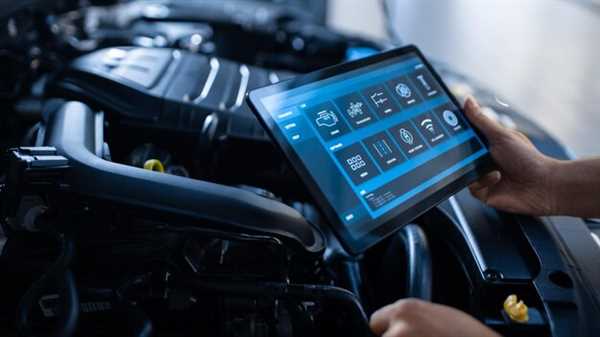
Investing in a high-quality scan tool is a priority. Look for models that support multiple protocols and are compatible with various manufacturers. Brands like Snap-on, Launch, and Autel offer robust devices with extensive features. Make sure it includes real-time data monitoring and clear code descriptions.
Additionally, software packages like Torque and Car Scanner are valuable for mobile devices, providing access to sensor information and error codes directly from your smartphone or tablet. These apps allow quick assessments and enhance diagnostic capabilities.
Another critical tool is a code reader. Basic models can clear codes and show live data, suitable for quick checks. However, more advanced readers provide advanced functions like graphing and data logging.
A reliable laptop or tablet with support for dealership-level software can significantly streamline the workflow. Programs such as Techstream for Toyota or VCDS for Volkswagen vehicles are vital for comprehensive troubleshooting.
Finally, having a good repair manual or access to online databases can aid in interpreting data and resolving issues effectively. Services such as Alldata or Mitchell1 are well-regarded in the industry.
Common OBD-II Systems and Their Role in Vehicle Performance Monitoring

Engine Control Unit (ECU) plays a central part in regulating engine performance. It gathers data from various sensors, allowing for adjustments to fuel mixture and ignition timing, enhancing efficiency and power delivery.
Transmission Control Unit (TCU) ensures optimal shifting patterns. By analyzing driving conditions, it modifies shift points, contributing to smoother acceleration and improved fuel economy.
Anti-lock Braking System (ABS) monitors wheel speed and prevents wheel lock during braking. This system enhances vehicle stability and control, especially in slippery conditions.
Electric Power Steering (EPS) adjusts steering assistance based on vehicle speed. This provides greater control at high speeds while requiring less effort at lower speeds, improving maneuverability.
On-Board Diagnostics (OBD) II not only tracks emissions-related components but also monitors other systems, such as fuel efficiency and performance metrics. This aids in timely maintenance and repairs to avoid costly issues down the line.
Vehicle Speed Sensor (VSS) provides real-time speed data, important for systems like cruise control and stability management. Accurate readings enhance driving comfort and safety.
Battery Monitoring System (BMS) assesses battery health and charge levels, ensuring reliable starting power and preventing unexpected failures.
Utilizing these systems effectively can lead to improved reliability, prolonged service life, and enhanced performance of your automobile. Regularly checking and interpreting system reports can prevent issues and optimize efficiency.